
Unseen Chat & Track: Sneakly
TechvioCommunication
4.62.00 Reviews
- Version
- 1.1
- Installs
- 500.00K
- Age Rating
- Everyone
Screenshots
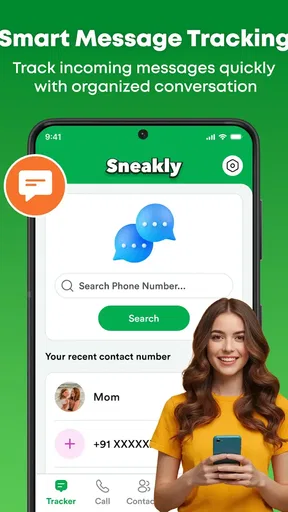
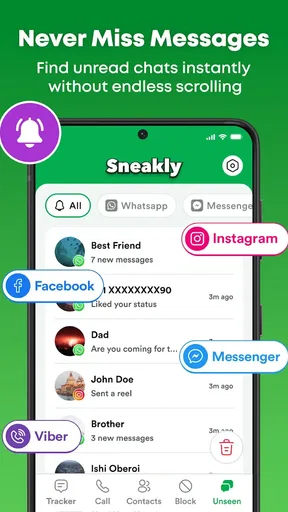


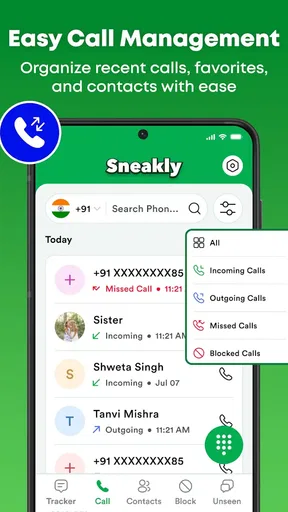
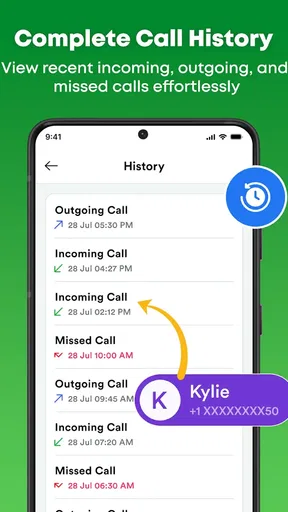
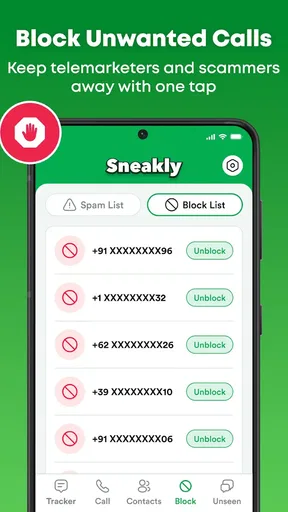
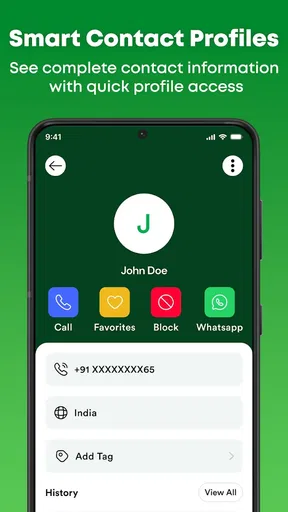
Our Review of Unseen Chat & Track: Sneakly
 Analysis by Appyee
I approached Unseen Chat & Track: Sneakly as a practical communication app rather than another messaging service. Its purpose is simple: help me read unseen messages with more confidence while keeping the conversation itself private. That makes it interesting for people who often need to check a message before deciding when or how to reply, especially when opening a chat immediately could create pressure.
The app comes from Techvio and is available free of charge for Everyone. It sits in the communication category, where it competes less with full messaging platforms and more with tools designed to give users extra control around incoming chats. Its current version is 1.1, and it works on devices running Android 8.0 or later. The store summary is brief, but the useful question is how well that promise fits ordinary moments: a message arriving during work, a sensitive conversation appearing at an awkward time, or a notification that needs checking without turning into an immediate exchange.
What to expect before using Sneakly
The first thing I would tell a new user is not to think of this as a replacement for WhatsApp, Messenger, SMS, or any other chat platform. Sneakly is better understood as a layer around your communication habits. It is there to help you inspect unseen messages privately, not to provide contacts, group chats, voice calls, stickers, or a new inbox of its own.
That distinction matters because expectations can easily become unrealistic. If you want a complete messaging environment, this is the wrong type of app. If you want a calmer way to deal with incoming conversations, its focused approach makes more sense. I found the appeal strongest when I treated it as a pause button between receiving a message and responding to it.
A realistic example is a busy afternoon at work. A message arrives from a family member, a colleague, or someone asking for a quick decision. I may want to know whether it is urgent, but I may not have the time or privacy to answer right away. Sneakly is aimed at that exact tension: getting enough context to choose my next action without automatically turning a quiet check into a visible read-and-reply moment.
That can also help in social situations. Perhaps I am commuting, standing in a queue, or preparing for bed and do not want to begin a longer conversation. Reading first can help me separate a simple update from something that deserves a considered response. The benefit is not merely secrecy; it is control over timing.
The app’s reception gives it a reassuring starting point. It holds a 4.6 average from around 2.4 thousand ratings and has passed 500 thousand installs. I would not treat those figures as proof that it will suit every phone or every messaging habit, but they do suggest that the idea has found a substantial audience.
Privacy is the central reason to try it, yet privacy tools always require sensible expectations. A private reading experience does not remove the need to protect the phone itself. Anyone who can freely access an unlocked device may still see information displayed on it. I would therefore use the app as a way to reduce accidental visibility during message checking, not as a substitute for a secure device, careful notification settings, or good account habits.
The kind of user who will appreciate it
I think Sneakly is especially suitable for people who dislike the social pressure attached to read indicators. It can be useful for users who receive many messages, people who need to triage conversations before replying, and anyone who prefers to answer thoughtfully instead of reacting instantly.
It may also suit users who work across different schedules. A message received late at night can be checked for urgency without automatically committing me to a conversation at that moment. Likewise, someone who is caring for a child, attending a meeting, or travelling may value a quick private look before deciding whether to stop what they are doing.
I would be more cautious about recommending it to someone who rarely receives messages or who is already comfortable with the privacy controls built into their usual chat apps. In that case, adding another communication utility may create more setup than benefit. It is also not the right choice for a person expecting a full archive, a new contact system, or advanced messaging features.
Getting through the first setup
For a first-time user, I would begin with a clear goal: choose one ordinary message situation that currently causes friction. Do not start by trying to redesign every communication habit. Install the app, open it, and approach the initial setup as a short test of whether its private reading workflow fits the way you already receive messages.
The most important practical step is to pay attention to what the app asks you to connect or configure. Communication utilities often depend on access to the information needed to show incoming content, so I would read each system prompt rather than approving everything automatically. If a setting is unclear, pause and decide whether it is essential to the result you want. That small habit is particularly important for an app whose main appeal is privacy.
I would also review the phone’s own notification behavior before judging the app. If message previews remain visible on the lock screen, private reading inside Sneakly may not solve the whole problem. A useful setup is one where the phone does not reveal more than I am comfortable with before I even open the app. This is a practical trade-off: more visible previews are convenient, while less detail on the lock screen generally gives better privacy.
Another sensible preparation is to choose a low-pressure test conversation. A message from a trusted contact is better for the first attempt than an important work exchange or a sensitive personal discussion. That lets me see how the app handles the unseen message without risking a misunderstanding at the moment I am still learning its workflow.
I would keep the first test small and deliberate. Receive or wait for a new message, leave it unseen in the normal conversation app, and then use Sneakly to inspect it. The point is to confirm whether the message can be viewed in the way I expect and whether the original chat remains in the state I intended. If the result is different from what I assumed, I would stop and adjust the setup before relying on it for something important.
Because the app is free, there is no purchase decision blocking that trial. That makes experimentation easier, although free does not mean effortless. The real cost is attention: learning how it fits alongside the messaging services I already use and deciding whether the extra step saves enough stress to justify keeping it.
Making the first successful check
The first meaningful success should be very simple. I would wait for an incoming message, avoid opening the regular conversation immediately, and use Sneakly as the first place to check what arrived. Then I would compare the result with my intention: did I gain useful context, and did I preserve the ability to reply later on my own terms?
This is where the app’s value becomes easier to understand. A successful check is not just seeing text. It is being able to make a better decision afterward. I might discover that the message is not urgent and return to it later. I might realize that it needs a prompt response and open the normal chat knowingly. Or I might decide that I need time to compose an answer. In all three cases, the private preview has helped me choose rather than react.
One non-obvious benefit is that this can reduce unnecessary conversational starts. Many people open a message simply because they are curious, then feel obliged to answer because the sender can see that it has been read. A private check separates curiosity from commitment. That separation is useful when the message contains a question that deserves more thought than I can give at that exact moment.
For the cleanest first test, I would avoid sending a reply from the previewing workflow until I fully understand what happens next. A preview tool is most valuable when it preserves a deliberate boundary between reading and responding. Once I decide to answer, I can move to the regular messaging app and continue normally.
I would also test the workflow under the conditions where I expect to use it. If the main use case is checking messages during work, try it during a quiet break. If it is for late-night messages, test it before relying on it then. Small differences in routine can reveal whether the app actually makes communication calmer or merely adds another place to check.
Confusions that can make the app seem less useful
The most common misunderstanding is assuming that Sneakly hides every sign of communication everywhere. It is more realistic to see it as a private way to inspect unseen messages. Notifications, lock-screen previews, sender behavior, and the normal messaging app can still affect what other people see or what appears on the phone. The app should be used with those surrounding details in mind.
A second confusion is expecting complete message history. The app’s purpose is tied to unseen incoming content, so I would not treat it as a replacement archive for conversations. If I need to search old messages, manage attachments, organize groups, or maintain a long-term record, the original messaging service remains the more appropriate tool.
There is also a difference between reading privately and replying privately. Sneakly may help me decide what to do before opening the usual chat, but a reply is still part of the normal conversation. I would not assume that a private preview changes the delivery, read, or activity behavior of a response. This distinction prevents a lot of disappointment.
Another practical point is that the app cannot make an unread message meaningful if the notification itself contains too little information. A short alert may not provide enough context to decide whether something is urgent. In that situation, the limitation is not necessarily the app; it is the amount of content made available by the messaging service and the phone’s notification settings.
Privacy can also conflict with convenience. The more I try to hide message details from casual viewers, the less information I may see at a glance. I consider that a worthwhile trade-off for sensitive conversations, but not everyone will. Someone who wants instant, complete previews and immediate replies may prefer the standard messaging experience.
Three useful habits beyond the basic preview
My first recommended habit is to use Sneakly for triage, not constant monitoring. Checking every message privately can become another form of notification anxiety. A better routine is to look when I have a genuine decision to make: whether to interrupt an activity, whether to respond now, or whether to schedule a proper reply later.
The second is to create a personal urgency rule. For example, I might treat messages from certain people or with certain wording as worth checking quickly, while leaving casual updates for a planned communication break. The app does not need to decide my priorities for me; its value increases when I bring a clear rule to the preview.
The third is to use it as a drafting buffer. If I read a message privately and discover that the answer will take time, I can note the required action mentally or elsewhere and return to the normal chat when I am ready. This avoids the common mistake of opening a conversation during a rushed moment and then sending an incomplete or overly brief response.
A fourth useful insight is to test privacy at the edges, not only in the ideal case. Check what happens when the phone is locked, when several messages arrive together, or when a conversation includes media rather than plain text. These situations reveal whether the workflow matches real life. I would not assume that one successful text preview guarantees the same experience for every kind of incoming content.
Finally, I would periodically ask whether the app is still reducing friction. If I find myself checking both Sneakly and the original messaging app repeatedly, the privacy benefit may be outweighed by extra steps. A focused tool should make a specific problem easier, not turn every message into a small administrative task.
How it compares with ordinary messaging options
The usual alternative is simply to use the notification shade or open the message in the original chat app. That approach is faster and more familiar. It is also better when I want the full conversation, attachments, replies, and all the normal controls in one place. For many users, built-in notification previews may already be enough.
Sneakly becomes more appealing when the main concern is the moment before opening the conversation. It gives that decision its own space instead of forcing me to choose between ignoring the message completely and entering the chat immediately. The trade-off is an additional step and another app in the communication routine.
Compared with changing notification settings alone, Sneakly is more action-oriented. Adjusting notifications can protect the lock screen, but it may also hide useful context. A private preview workflow can preserve a way to inspect messages while keeping the ordinary chat unopened. On the other hand, notification controls are simpler and affect the whole phone consistently, so they may be preferable for someone who wants broad privacy rather than a dedicated reading tool.
Compared with full messaging platforms, the difference is even clearer. Those services are built for sending, receiving, searching, calling, and managing conversations. Sneakly is narrower. I would choose the normal platform for communication itself and use this app only if the unseen-message problem is significant enough to deserve a separate solution.
Who should skip it
I would skip Sneakly if I do not care about read indicators, rarely receive messages, or already have a comfortable routine using built-in previews. I would also skip it if I expect a single app to manage every part of communication. Its focused design is an advantage only when the focus matches a real need.
People who require guaranteed access to every message format should be cautious as well. A private reading tool is most useful when it handles the kind of content I regularly receive, so I would test the exact conversations that matter to me before making it part of my daily routine. That is a more reliable approach than assuming every chat behaves identically.
I would not recommend depending on it as the only way to notice urgent messages. Important communication should still be checked through a method I understand and trust. Sneakly can help me decide how to respond, but it should not replace common sense about emergencies, work deadlines, or messages that require immediate confirmation.
The next step after the first week
After several days, I would evaluate the app with three questions. Did it help me avoid opening chats before I was ready? Did it give me enough context to prioritize messages? And did the extra step feel natural rather than burdensome? These questions are more useful than simply counting how often I opened it.
If the answers are positive, I would keep a simple routine: use Sneakly for messages that need a quick private check, then move to the original chat only when I am ready to participate. That keeps the app in a supporting role and prevents it from becoming a second inbox that demands constant attention.
If the answers are mixed, I would narrow its role instead of abandoning it immediately. It may be valuable only during work hours, while travelling, or for particular types of conversations. A communication tool does not have to be used for every message to be worthwhile.
Techvio’s app is available to a broad audience because it is free and rated for Everyone, and its Android compatibility reaches devices running Android 8.0 or later. The current version, 1.1, keeps the product relatively focused, which I see as both its strength and its limitation: there is a clear purpose, but users should not expect it to behave like a complete messaging suite.
My final view is that Sneakly is worth trying for anyone who wants a calmer gap between receiving and answering messages. I like the idea because it addresses a very ordinary problem: curiosity and urgency often arrive before I have time to respond properly. When the app works with my existing routine, that gap becomes useful rather than stressful.
The best reason to install it is not to avoid people; it is to choose the right moment to engage. If that is a problem I regularly face, Sneakly offers a focused, free experiment with a clear first step: test one unseen message, check whether the workflow preserves the control I want, and keep it only if it genuinely makes communication feel more deliberate.
Verdict
Strengths of Unseen Chat & Track: Sneakly
- Reads messages without triggering read receipts in supported chats.
- Simple interface makes privacy controls easy to access.
- Can help organize notifications from multiple messaging apps.
- Useful for checking messages discreetly when you are busy.
- Lightweight design should be easy to navigate on most phones.
Limitations of Unseen Chat & Track: Sneakly
- Compatibility may vary between messaging apps and Android versions.
- Notification access can expose private message content to the app.
- Some features may require intrusive permissions to work properly.
- Deleted or edited messages may not always be captured reliably.
- Background operation can increase battery and notification usage.
Similar Picks in This Category
View All
Google Messages
Google LLC4.6

Gmail
Google LLC4.1

Google Meet
Google LLC4.4

Google Chrome
Google LLC4.1

WhatsApp Messenger
WhatsApp LLC4.6

Carrier Services
Google LLC4.2
Frequently Asked Questions
What is Unseen Chat & Track: Sneakly, and how does it work?
Unseen Chat & Track: Sneakly is designed to help users read messages and preview notifications without immediately opening the original messaging application. Depending on the supported service and device permissions, it may collect incoming notification content and display it in a separate interface. Its reliability can vary by Android version, battery settings, notification access, and the privacy restrictions imposed by each messaging platform.
Which messaging apps are compatible with Unseen Chat & Track: Sneakly?
Compatibility may include popular messaging and social applications that display message previews through Android notifications, but support is not necessarily identical across every app. Some services may limit previews, hide media, or change how notifications are delivered. Before downloading, check Sneakly’s current Play Store description and recent user reviews, because supported apps and available features can change after updates.
Does Sneakly let me read messages without showing a read receipt?
The app is intended to let you view message content from notifications or a separate inbox before opening the original conversation, which may help avoid triggering a read status in some situations. However, this is not guaranteed for every messaging service. Opening the chat directly, replying, interacting with notifications, or missing the notification may still mark a message as read.
What permissions does Unseen Chat & Track: Sneakly require, and are they safe?
To function properly, Sneakly may request notification access and permission to run in the background. Notification access can expose incoming message text, sender names, and sometimes media previews to the app, so it should be granted only if you trust the developer and understand the privacy implications. Review the app’s privacy policy, permissions, and data-safety information before enabling access.
Can Unseen Chat & Track: Sneakly track someone’s online activity or deleted messages?
Features described as tracking may refer to monitoring notifications, online indicators, or activity events rather than providing guaranteed access to another person’s private account. The app cannot reliably recover content that never reached your device, and deleted-message recovery depends on whether a notification preview was previously captured. Use the application responsibly, respect other people’s privacy, and remember that platform updates can restrict these functions.
